

This workflow connects Reonomy property data → validated contacts → Instantly campaigns
automatically.
Prerequisites
- Airtable base access
- Reonomy account with target area selected
1
Add Reonomy URL to Lead Sources
- Navigate to the Lead Sources table in your Airtable base.
- Click Create new… to add a row.
- In Reonomy, set your filters (target area, building type, property criteria).
- Copy the Reonomy search URL from your browser.
- Paste the URL into the Target URL field in the new Lead Sources row.
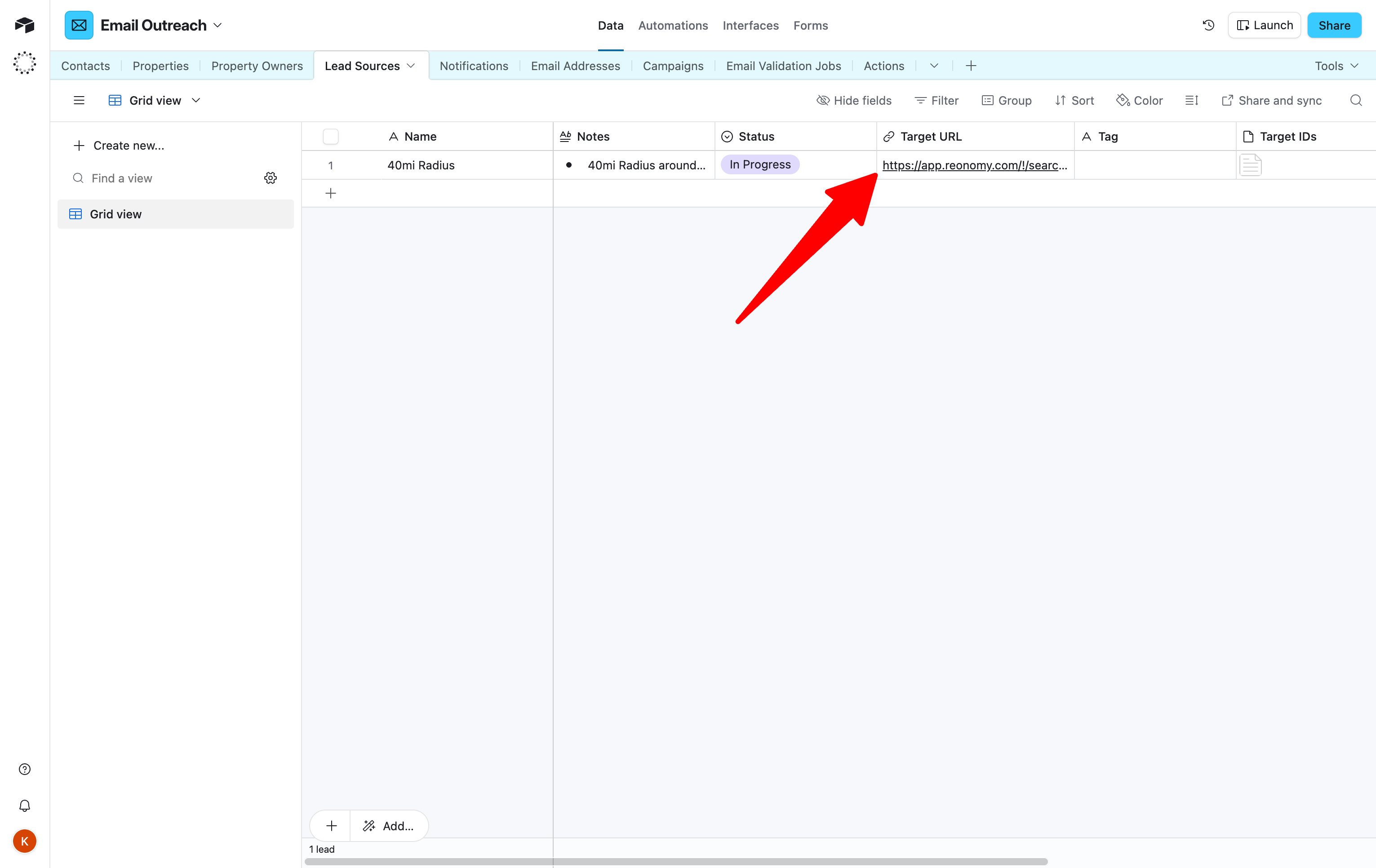
Target URL is saved in the Lead Sources table.
2
Scraping and validation (automated)
Once your Reonomy URL is added, the backend system will: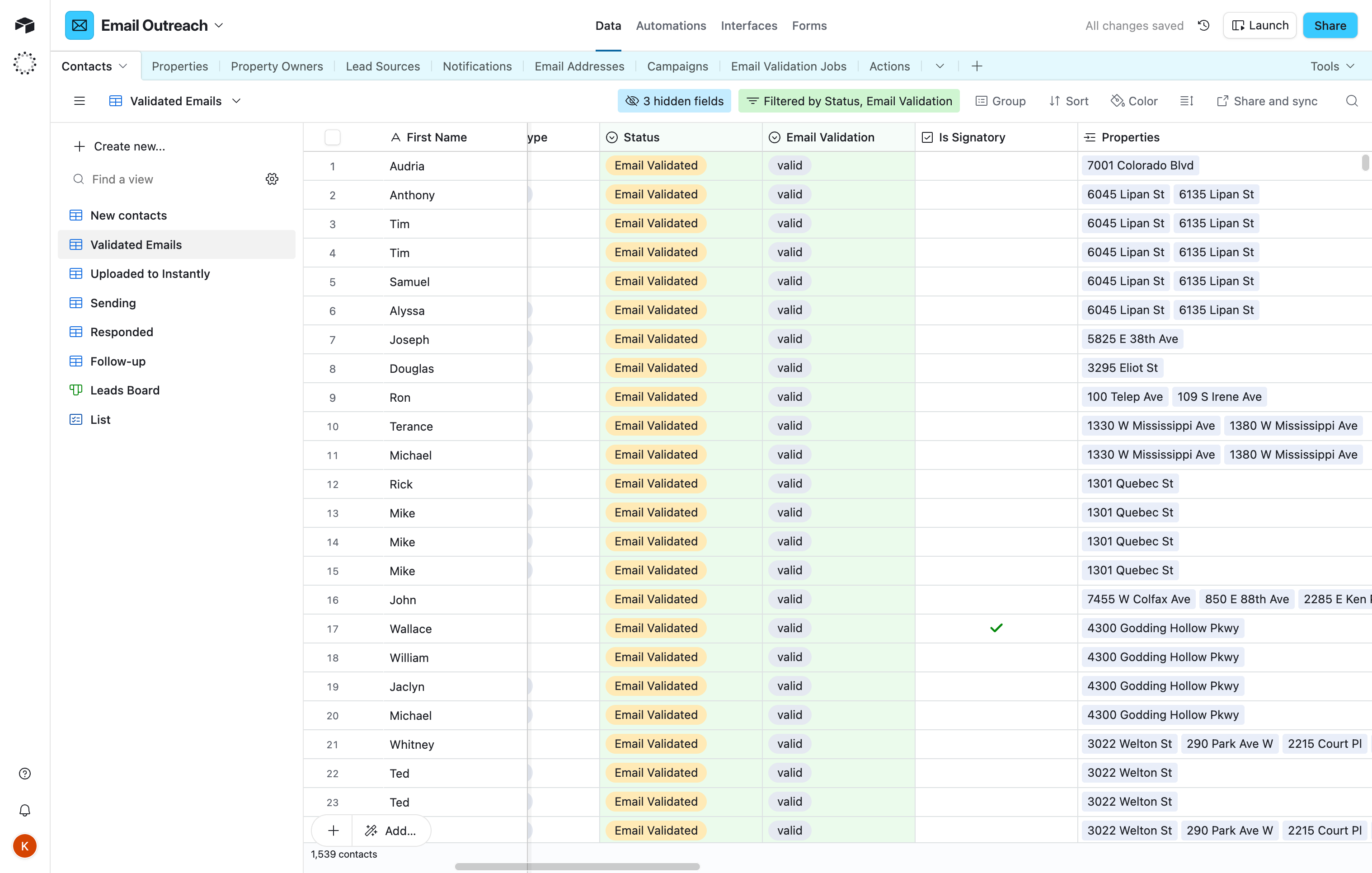
- Scrape all properties from your Reonomy link
- Populate the Contacts, Properties, and Property Owners tables
- Automatically validate email addresses using NeverBounce
- Update contact Status to Validated Emails for valid addresses
This process is handled automatically. Contact support if you don’t see contacts appear
within 24 hours.
Contacts appear in the Validated Emails view with valid email addresses.
3
Assign contacts to campaign
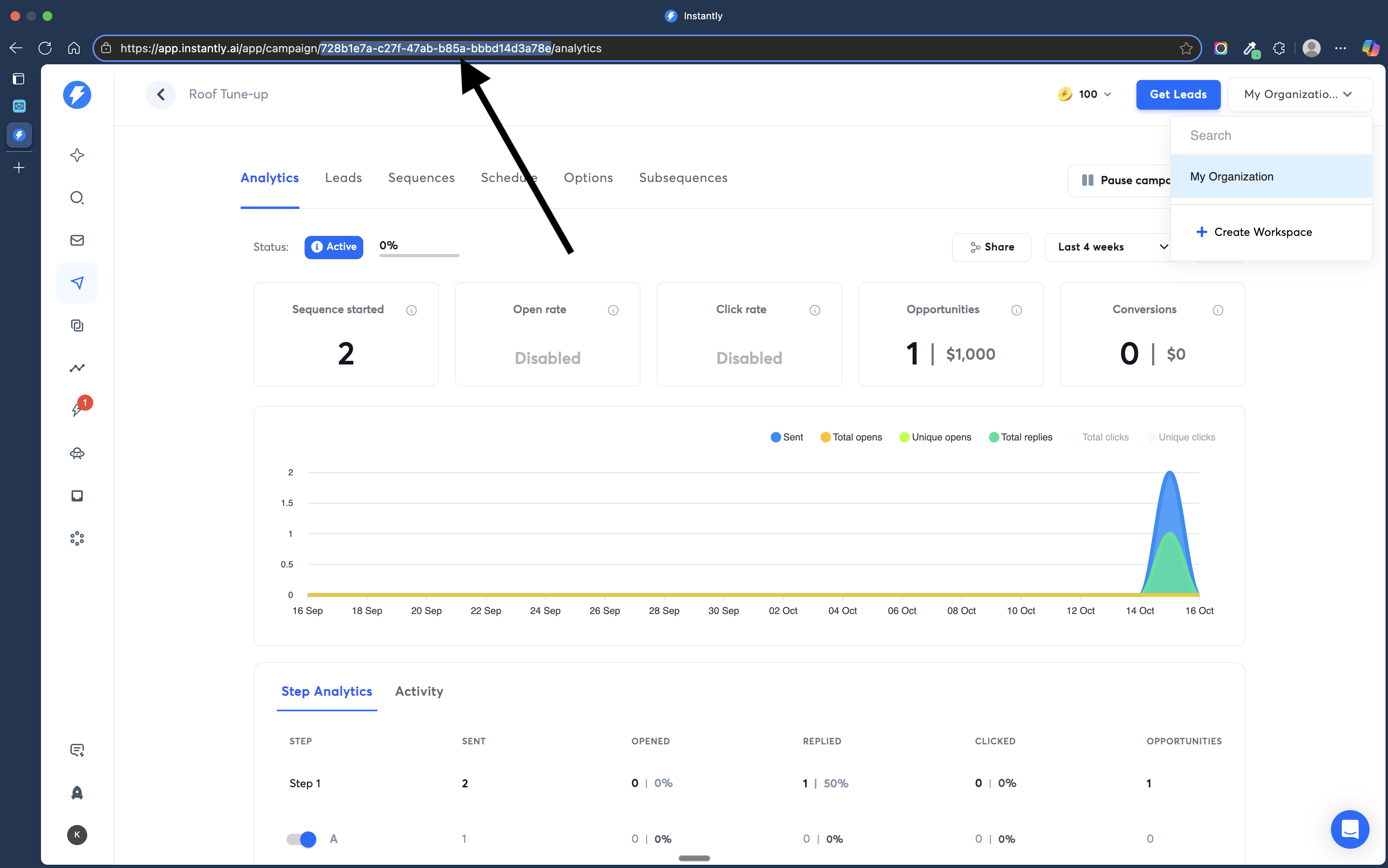
- Open Instantly and navigate to your campaign.
- Copy the campaign ID from the URL bar.
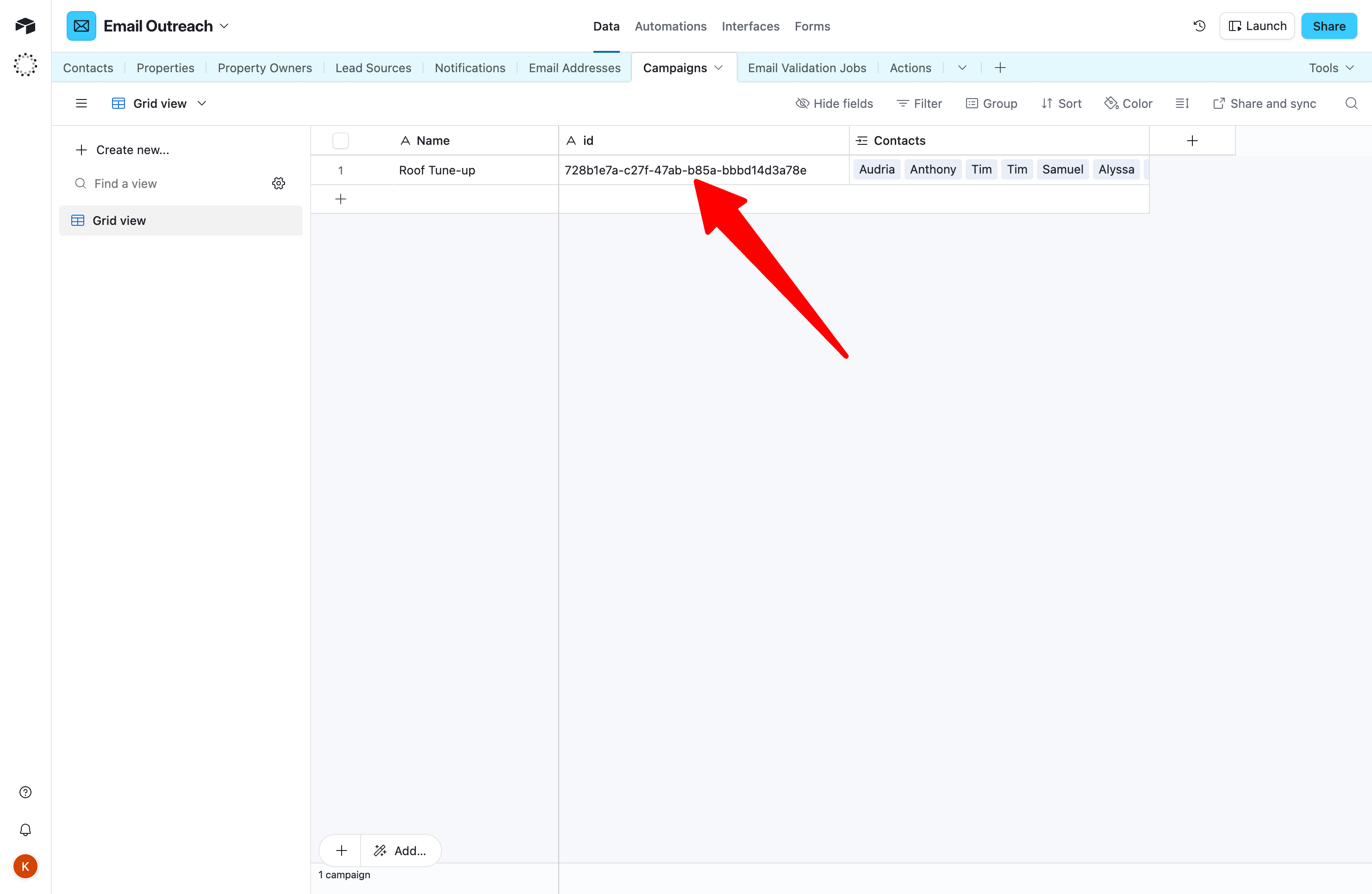
- Navigate to the Campaigns table in Airtable.
- Add or update the campaign record with the Instantly campaign ID.
- Return to the Contacts table and switch to the Validated Emails view.
- Update the Campaign column for contacts to point to your campaign.
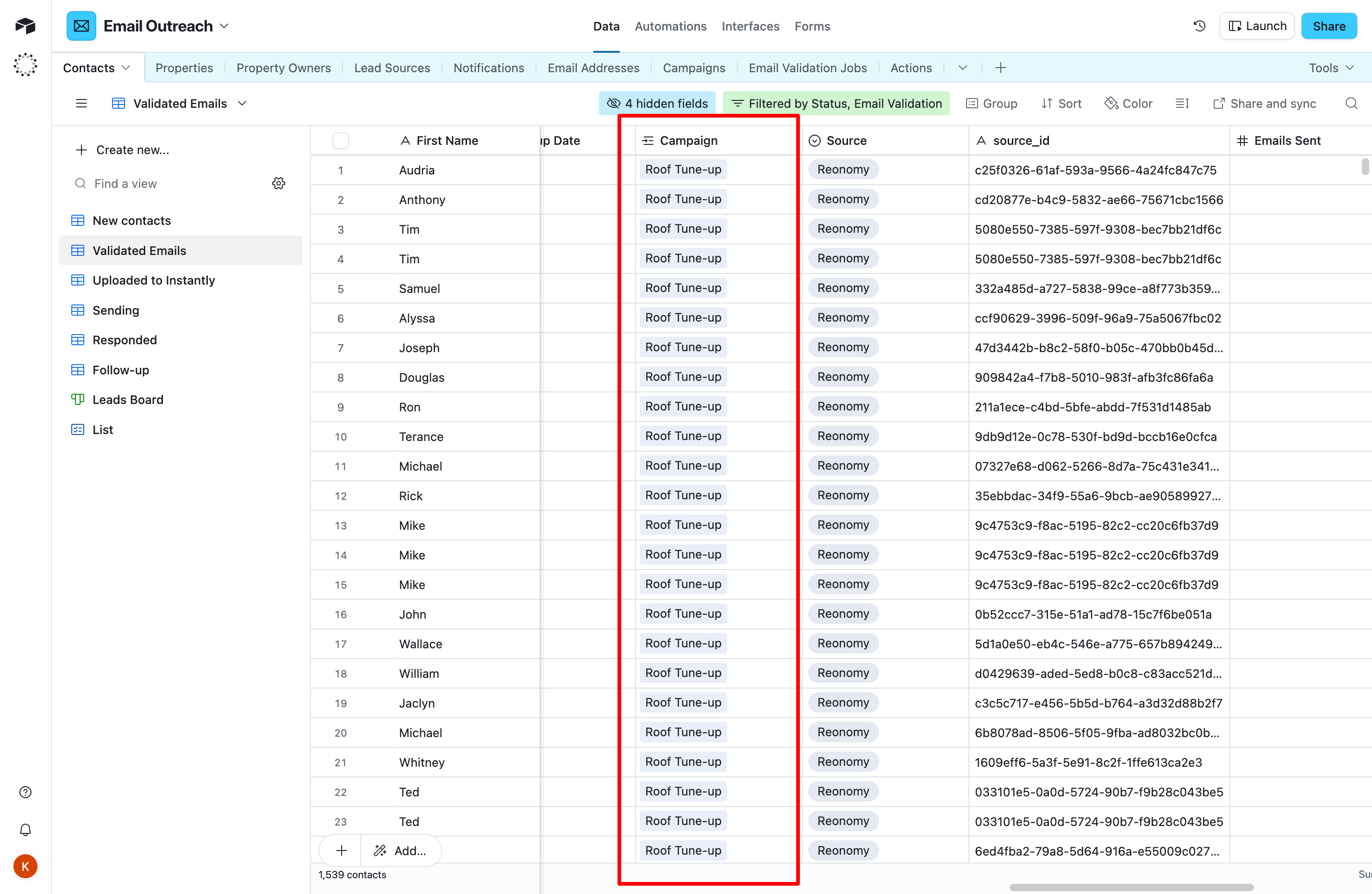
Campaign field is populated for all contacts ready for outreach.
4
Upload contacts to Instantly
- Navigate to the Actions table.
- Click the Upload contacts to Instantly action button.
- The system uploads all campaign-assigned contacts to their corresponding Instantly campaigns.
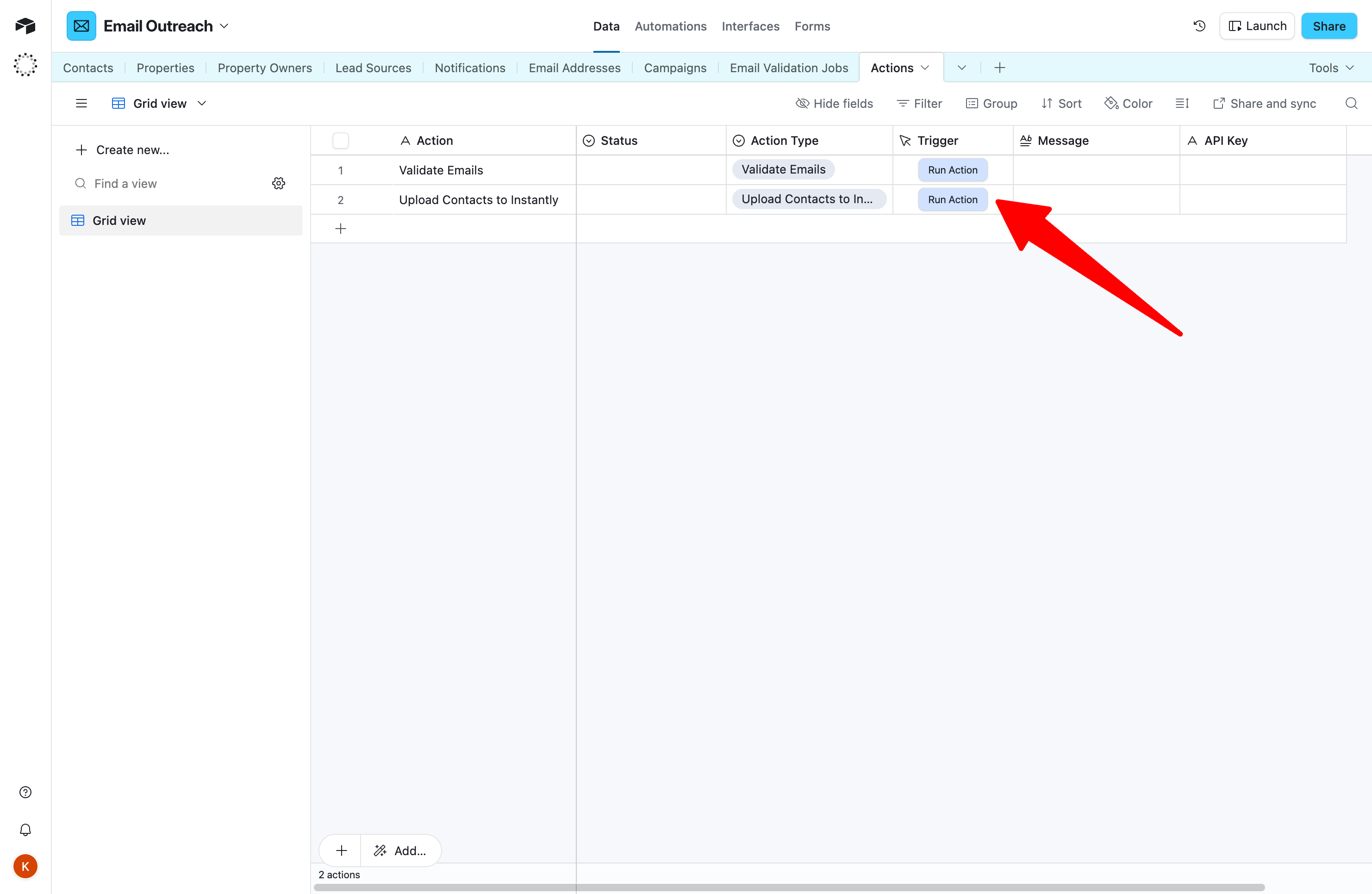
Contacts appear in your Instantly campaign ready to send.