

1
Step 1 — Email setup
Set up your sending domains and inboxes.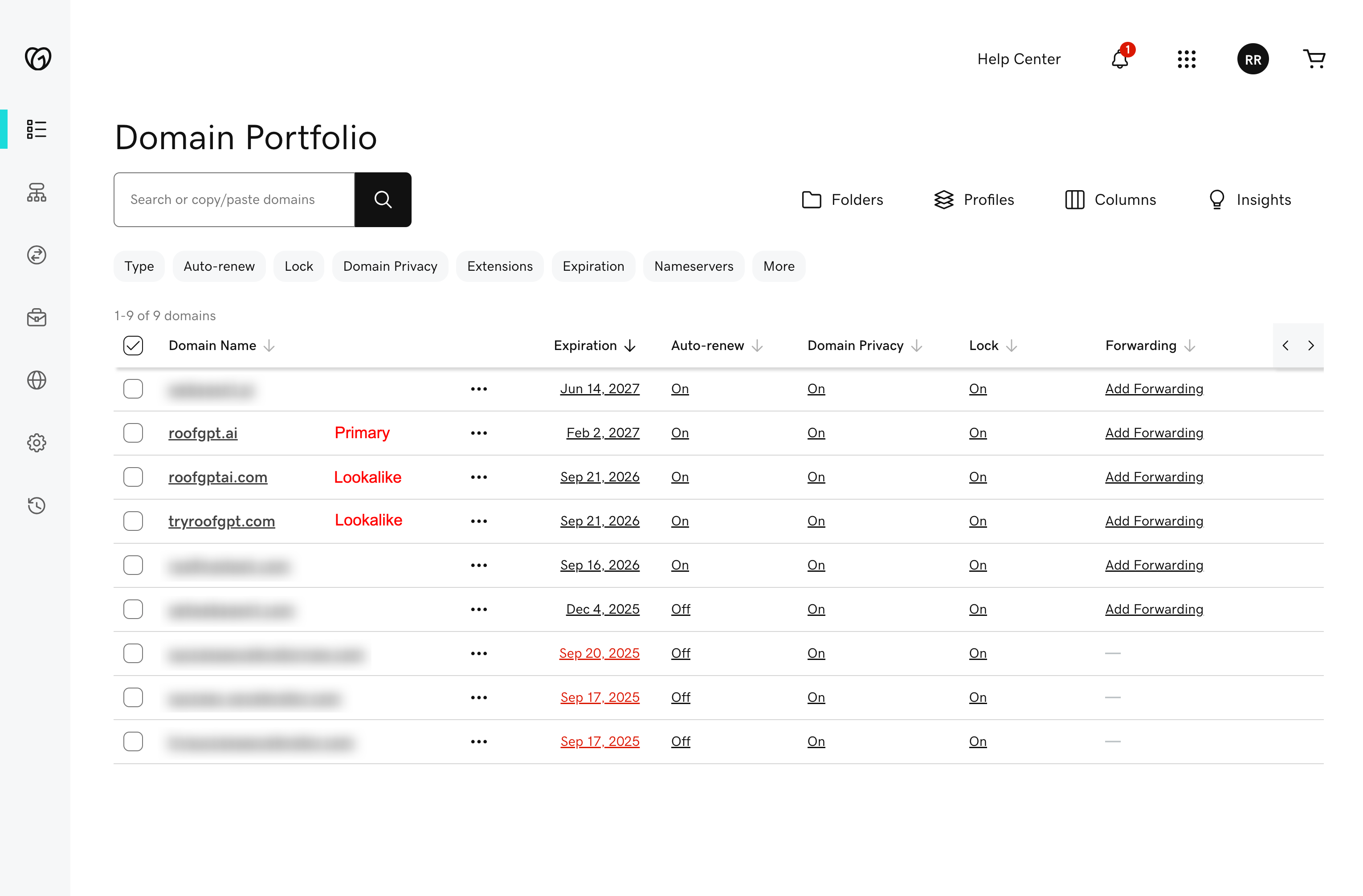
- Buy lookalike domains
- Create Google Workspace inboxes
- Add SPF, DKIM, DMARC
2
Step 2 — Instantly setup
Connect inboxes and load your sequences.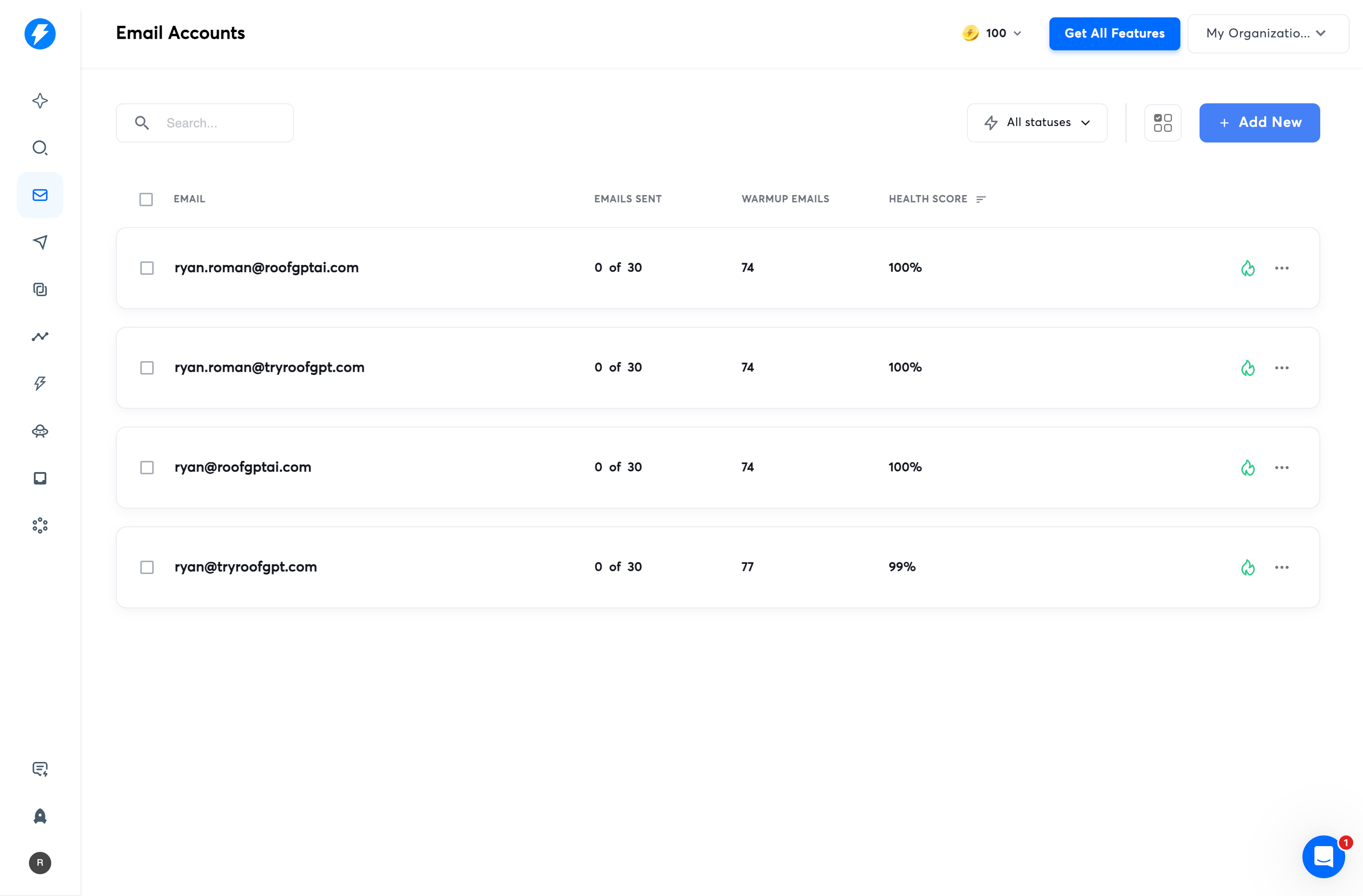
- Connect each inbox to Instantly and start warming
- Set safe sending limits and schedule
- Create sequences and enable A/B tests
Each inbox shows Connected and has limits set.
3
Step 3 — Leads & Airtable
Get prospects into Airtable and validated.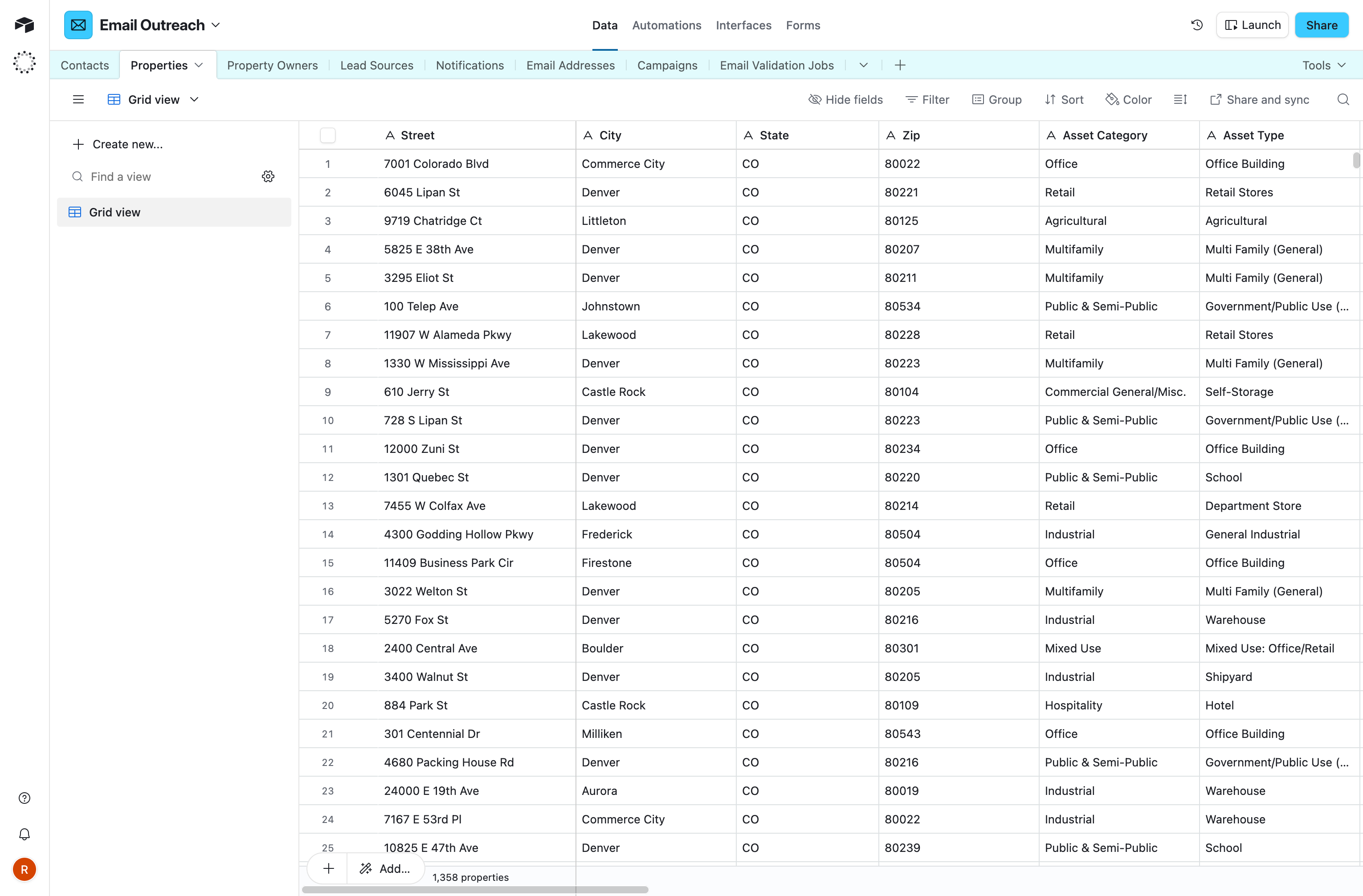
- Open the Airtable base
- Add a Reonomy link or import CSV
- Validate emails with NeverBounce
- Auto-assign to Instantly campaigns
4
Step 4 — Launch
Start sending once warmup completes.
- Confirm warmup reached target
- Turn on sequences